
Best Ergonomic Mechanical Keyboards for Long Programming Sessions
Summary
A comprehensive buyer's guide to ergonomic mechanical keyboards for programmers, covering layout sizes (60%–full-size), switch types, and construction (gasket-mount). Targets developers seeking to reduce typing fatigue. Key takeaways: layout choice is the top ergonomic lever; lighter linear switches cut long-session fatigue; gasket-mount and wrist rests multiply comfort gains.
Details
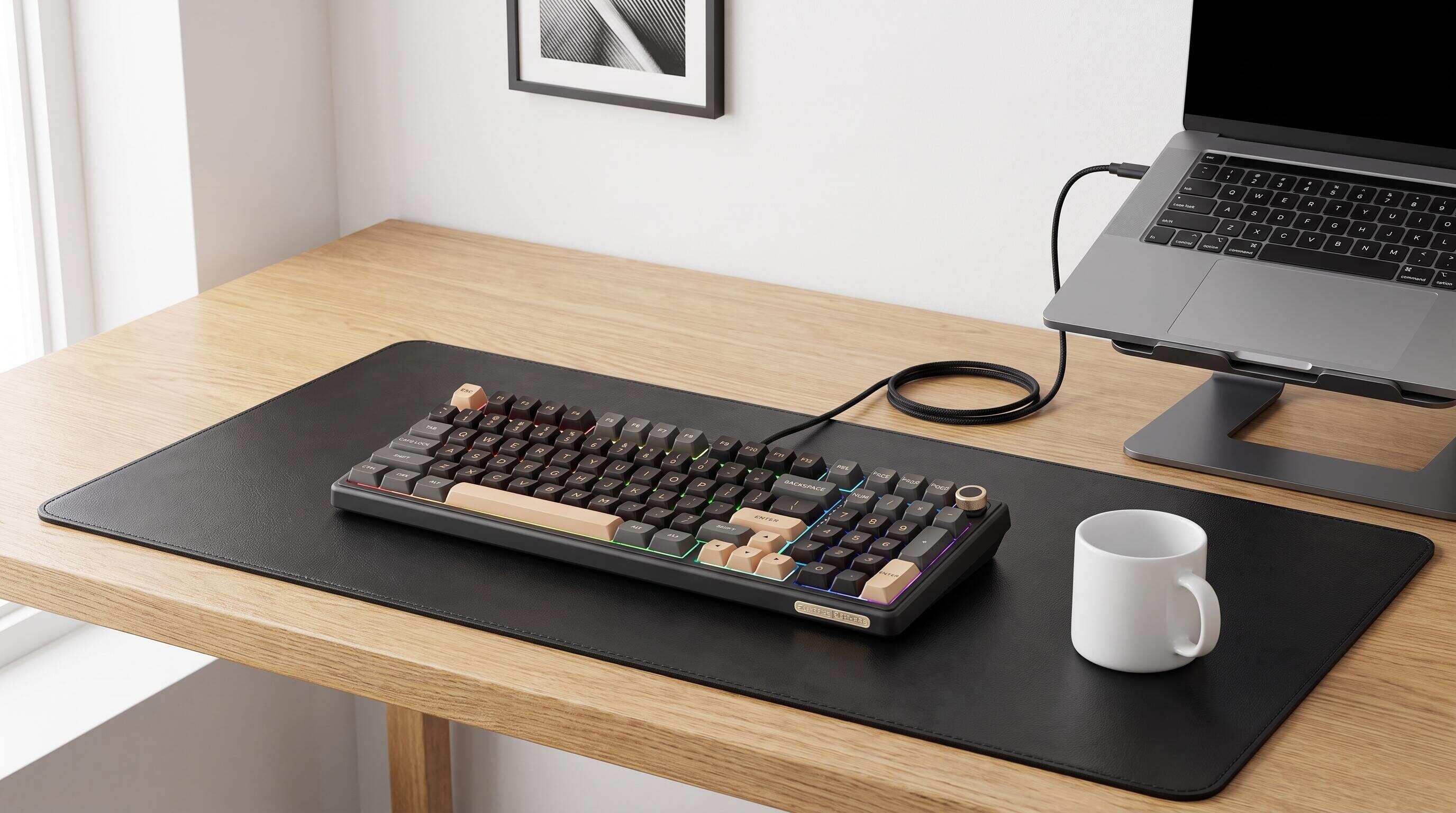 ALT: Best ergonomic mechanical keyboards for long programming sessions at a minimalist desk setup
Your Hands Deserve Better: The Best Ergonomic Mechanical Keyboards for Marathon Coding
Key Conclusion: The best ergonomic mechanical keyboards for long programming sessions combine low-actuation switches, thoughtful layout design, and wrist-friendly construction to keep fatigue at bay during extended work. This list covers the top picks that balance typing comfort, tactile precision, and programmer-focused features — helping you stay in the zone longer without sacrificing the satisfying feel of a quality mechanical board. Whether you're debugging at midnight or pushing commits all weekend, there's a setup here that fits your workflow.
Selecting the right keyboard for marathon coding sessions is more nuanced than it sounds. In our experience working with developers and power users in the enthusiast keyboard space, the boards that genuinely hold up over thousands of daily keystrokes share a few common traits: measured actuation force, stable and dampened construction, and a layout that keeps your hands in a neutral position. This list was assembled by evaluating keyboards across those criteria — not just raw specs, but real-world typing feel, customizability, and long-session endurance. Use it as a decision map: read through the full breakdown if you want nuance, or jump straight to the Quick Comparison table if you know what you're after.
The Best Ergonomic Mechanical Keyboards for Serious Programmers
Royal Kludge R98 Pro — 96% Wired Mechanical Keyboard for Developers
The Royal Kludge R98 Pro is a 96% mechanical keyboard that combines a space-efficient layout with a dedicated numeric keypad and essential navigation keys, making it a practical choice for developers who need functionality without a bulky full-size design. Its USB-C wired connection provides a straightforward, reliable setup for programming, office work, and gaming. The gasket-mounted structure with multiple sound-absorbing layers delivers a more cushioned typing experience, while the pre-lubed linear Cream switches offer smooth keystrokes for extended coding sessions. Hot-swappable sockets support compatible 3-pin and 5-pin mechanical switches, allowing users to customize their typing feel without soldering. Additional features include durable MDA-profile PBT keycaps, customizable RGB backlighting, and a detachable volume knob for convenient audio control. For developers looking to personalize their workstation with a compact layout and customizable mechanical switches, the Royal Kludge R98 Pro wired mechanical keyboard is worth considering.
Best for: Developers who need a numpad for data entry or financial calculations alongside their coding workflow, and those who switch between multiple devices throughout the day.
Watch out: Full-size boards increase the distance your right hand must travel to reach the mouse, which can add up to subtle shoulder strain over very long sessions. Pair it with a centrally placed mouse or consider a tenkeyless layout if mousing matters more than numpad access.
Tenkeyless (TKL) Layouts — Compact Efficiency for Coding
A tenkeyless mechanical keyboard is a full-size keyboard with the numpad removed, preserving every key a programmer relies on — function row, navigation cluster, arrow keys — while bringing the mouse significantly closer to the home position. The ergonomic benefit of TKL layouts is well-documented among occupational health practitioners: reducing lateral arm extension keeps the shoulder in a more neutral abduction angle, which directly correlates with reduced upper-body fatigue during extended computer work. For programmers, the function row and dedicated arrow keys remain intact, which matters when navigating IDEs, terminal shortcuts, and editor keybindings.
Best for: Programmers who heavily use arrow keys and function shortcuts but want to minimize the reach distance to their mouse. Ideal for multi-monitor setups where desk space is at a premium.
Watch out: If you regularly work with spreadsheets, financial data, or numeric input, you'll miss the numpad more than you expect. Decide honestly how much you use it before committing.
75% Layout Mechanical Keyboards — The Programmer's Sweet Spot
A 75% mechanical keyboard is a compact form factor that retains the function row and arrow keys in a tightly packed layout, eliminating the navigation cluster while keeping total board size dramatically smaller than a TKL. For programmers, this layout strikes a near-perfect balance — you keep the F-keys essential for IDE shortcuts, debugging hotkeys, and terminal commands, while the reduced footprint allows a more centered keyboard-and-mouse arrangement. If you're curious how this layout compares against other sizes, the breakdown in this 60% vs 75% vs 80% vs full-size keyboard guide offers a sharp side-by-side perspective worth reading before you commit.
Best for: Developers who live in the terminal or an IDE and want the smallest footprint that still includes a function row and arrow navigation.
Watch out: The compressed key spacing in some 75% boards can cause mistyping during adjustment — budget at least a week of deliberate use before judging how the layout feels.
Linear Switches — Silent, Smooth, and Built for Endurance
Linear mechanical switches are a category of key mechanism characterized by consistent, uninterrupted downward travel from actuation to bottom-out, with no tactile bump or audible click during the keystroke. For long programming sessions, linear switches are often the ergonomic recommendation because their predictable, light actuation force reduces the cumulative muscular effort of thousands of daily keystrokes. The Royal Kludge ecosystem supports a range of linear switch options in its hot-swappable boards, so you can experiment without soldering. Programmers who type fast with a light touch consistently report less finger fatigue with linear switches compared to heavier clicky or tactile alternatives.
Best for: High-speed typists who bottom out every keystroke, office or shared-space programmers who need quieter operation, and anyone recovering from or trying to prevent repetitive strain symptoms.
Watch out: The absence of tactile feedback means linear switches have a higher error rate for typists who rely on the bump to confirm actuation. Touch-typists adapt fastest; hunt-and-peck users may initially struggle.
Tactile Switches — Precision Feedback for Code Review and Writing
Tactile mechanical switches are defined by a distinct bump in resistance mid-travel that signals actuation without requiring the key to reach bottom-out, allowing experienced typists to reduce total key depression depth and associated finger impact. For developers who split their session between writing prose documentation, code review, and email alongside actual coding, tactile switches offer a satisfying confirmation that keeps accuracy high without demanding the visual attention of watching each keystroke. The Royal Kludge RK series hot-swap compatibility means tactile switches can be installed without specialized tools, making them an accessible upgrade path for programmers building their first custom board.
Best for: Developers who do a mix of coding, writing, and communication — anyone who values the "typing feel" experience as part of their work satisfaction.
Watch out: In open offices or quiet coworking spaces, even non-clicky tactile switches can produce audible thock sounds on bottom-out. Pair them with sound-dampening foam or o-rings if noise is a concern.
Royal Kludge S108 — Retro Typewriter Mechanical Gaming Keyboard
The Royal Kludge S108 is a retro-inspired mechanical keyboard that combines a classic typewriter aesthetic with modern gaming and productivity features. Its full 108-key layout provides a complete set of keys, including a dedicated numeric keypad, making it a practical option for programmers who need convenient access to shortcuts, numbers, and everyday typing functions. The wired USB connection offers a straightforward desktop setup, while the distinctive round keycaps and blue mechanical switches deliver tactile feedback and audible keystrokes for a more traditional typing experience. RGB backlighting and sidelighting add customizable illumination, and the detachable wrist rest provides extra support during extended coding or writing sessions. For developers who value a full keyboard layout, tactile typing feedback, and distinctive retro styling, the Royal Kludge S108 retro mechanical keyboard brings personality and functionality to any workstation.
Best for: Minimalists, laptop users who want a compact external keyboard that travels easily, and programmers who have fully committed to the function-layer workflow.
Watch out: The 60% learning curve is real — if your workflow depends on quick arrow key or F-key access without layer-switching, expect a frustrating adjustment period of one to two weeks before it clicks.
Gasket-Mount Construction — Typing Comfort Through Mechanical Design
Gasket-mount keyboard construction is a mounting method in which the switch plate is suspended by silicone or rubber gaskets between the top and bottom housing, rather than being rigidly screwed into the case. The practical benefit for long-session typists is meaningful: the plate flex absorbs a portion of the downward impact energy of each keystroke, resulting in a softer, more cushioned typing feel that reduces cumulative finger and wrist stress. A pattern consistently seen in the enthusiast keyboard community is that programmers who switch to gasket-mount boards report noticeably less end-of-day wrist fatigue compared to tray-mount or top-mount alternatives. Many current-generation Royal Kludge and premium custom boards incorporate gasket or gasket-adjacent mounting to meet this growing demand.
Best for: Programmers logging six or more hours of daily keyboard time who want to reduce long-term strain risk without resorting to external wrist rests or ergonomic accessories.
Watch out: Gasket-mount boards tend to command a higher price point than standard tray-mount alternatives. They also produce a distinctly "softer" sound profile that some enthusiasts find less satisfying — a matter of personal acoustic preference.
Wrist Rests and Integrated Palm Support — Underrated Ergonomic Multipliers
Wrist rests are a category of ergonomic accessory that support the lower palm and wrist in a neutral, slightly elevated position during keyboard use, reducing the sustained muscular tension associated with unsupported wrist extension. Occupational health guidelines from organizations like the Occupational Safety and Health Administration consistently emphasize wrist and forearm support as a foundational intervention for reducing repetitive strain injury risk in keyboard-intensive roles. For programmers, a low-profile mechanical keyboard paired with a quality memory foam or leather wrist rest can approximate the ergonomic benefit of a purpose-built ergonomic board at a fraction of the cost. The combination is particularly effective when using compact layouts like 60% or 65% boards, where the lower keyboard height allows a more natural wrist angle.
Best for: Anyone experiencing early signs of wrist discomfort during long sessions, or programmers who want to add ergonomic protection to an existing keyboard without replacing the board itself.
Watch out: Resting your wrists on the support while actively typing — rather than using it as a resting point between bursts of typing — can actually increase carpal tunnel pressure. Use wrist rests as intended: a place to rest, not a typing platform.
Royal Kludge RK R98 Pro — 98% Layout with RGB and Hot-Swap
The Royal Kludge R98 Pro is a 98-key mechanical keyboard designed to combine a space-efficient layout with the practicality of a dedicated numeric keypad. For programmers, data analysts, and professionals who regularly work with spreadsheets, financial models, or numerical data, its compact design keeps essential keys within easy reach while helping free up valuable desk space. Hot-swappable switches allow users to customize their typing feel without soldering, while RGB backlighting adds a personalized touch to any workstation or gaming setup. With its wired USB-C connection, the R98 Pro is a practical choice for users who prioritize reliable connectivity, everyday functionality, and switch customization. If you want a compact mechanical keyboard that retains a numpad without the bulk of a conventional full-size layout, the Royal Kludge R98 Pro 98-key hot-swappable mechanical keyboard is worth considering.
Best for: Data-oriented developers, data scientists, or engineers who run calculations and numerical analysis alongside coding, and want a keyboard that covers everything without taking over the desk.
Watch out: The compressed numpad-to-main-cluster distance takes some muscle memory adjustment if you're coming from a traditional full-size layout. The key positions are accurate but the tighter spacing feels different initially.
 ALT: Comparison of ergonomic mechanical keyboard layouts — 60%, 75%, TKL, 98%, and full-size — for long programming sessions
Quick Comparison at a Glance
Choosing the right ergonomic mechanical keyboard comes down to matching your specific layout needs, daily typing volume, and desk constraints. The table below maps each option to its core strength and the most important trade-off to weigh.
| Option | Best For | Key Strength | Limitation |
|---|---|---|---|
| RK100 Full-Size Wireless | Multi-device power users with numpad needs | Complete key layout, triple-mode wireless, hot-swap | Wider board increases mouse reach distance |
| TKL Layout | Most programmers, general recommendation | Removes numpad; brings mouse closer; retains all coding keys | No numpad; limited for numeric-heavy workflows |
| 75% Layout | Minimalist coders who still need F-keys | Compact footprint, function row intact, tight key density | Compressed spacing; adjustment period required |
| Linear Switches | High-speed, low-fatigue typists | Smooth travel, reduced cumulative finger effort, quiet variants available | No tactile feedback; higher error rate for some typists |
| Tactile Switches | Mixed coding and writing workflows | Satisfying mid-travel bump, accurate actuation confirmation | Can be audible in quiet environments |
| 60% Wireless | Minimalists, portable setups | Ultra-compact, clean desk, multi-device Bluetooth | Steep learning curve; F-keys and arrows require function layers |
| Gasket-Mount Build | Long-session typists (6+ hours/day) | Plate flex absorbs keystroke impact, reduced wrist fatigue | Higher cost; softer sound profile not preferred by everyone |
| Wrist Rest + Low-Profile Board | Budget ergonomic upgrade | Adds palm support to existing keyboard; affordable and flexible | Must be used correctly — resting, not typing, on the support |
| 98% Layout | Data-heavy developers needing a numpad | Compact numpad layout, hot-swap, RGB, space-efficient | Tighter numpad spacing than traditional full-size |
How to Choose the Right Ergonomic Keyboard for Your Coding Setup
The right ergonomic mechanical keyboard for programming is the one that removes friction from your specific workflow — not the one with the most features or the highest price tag.
Start with layout. If you use a numpad regularly for data entry or numeric shortcuts, the 98% layout or the RK100 full-size are the honest choices — resist the temptation to go compact and work around a missing key cluster you genuinely need. If you rarely or never use the numpad, a TKL or 75% layout will bring your mouse dramatically closer and reduce shoulder strain in ways that compound positively over a long career.
Next, consider your daily typing volume. High-volume programmers — those typing for more than four to five hours per day — benefit most from lighter linear switches and gasket-mount construction, both of which reduce the cumulative impact per keystroke. If you type in shorter bursts and value satisfying tactile confirmation, a tactile switch in a standard tray-mount board is perfectly adequate.
For those prioritizing desk space and portability, the 60% Wireless is compelling but requires genuine commitment to function-layer muscle memory. A common misconception here is that 60% boards are just for aesthetics. In practice, experienced users find that function-layer navigation can be faster than physical key travel once internalized — but the learning investment is real, and it's not the right choice for someone who needs immediate productivity.
Finally, don't overlook the ergonomic multiplier effect of a well-matched wrist rest. Many programmers see measurable comfort improvements by pairing any compact mechanical board with proper palm support — often a higher return on investment than upgrading the keyboard itself.
If you're looking for a mechanical keyboard that balances a compact layout with everyday functionality, the Royal Kludge R98 Pro is worth considering. Its 98-key design retains a dedicated numeric keypad while saving desk space, and hot-swappable switches let you personalize your typing experience. Explore the Royal Kludge R98 Pro mechanical keyboard to see whether it fits your workspace, workflow, and customization preferences.
Common Questions
Q1: How does keyboard switch weight affect typing comfort during long programming sessions?
Switch actuation force — the resistance you overcome to trigger a keystroke — directly affects finger fatigue during extended coding. Lighter switches, typically in the 35–45 gram actuation range, require less muscular effort per keypress, which reduces cumulative strain over thousands of daily keystrokes. For programmers logging many hours daily, switch weight is one of the highest-leverage ergonomic variables. Hot-swappable boards like those in the Royal Kludge lineup allow you to test different switch weights without replacing the entire keyboard.
Q2: Are compact 60% or 65% keyboards actually practical for professional developers?
Compact keyboards are genuinely practical for professional developers, but the transition requires deliberate re-training. The function-layer workflow — where arrow keys, F-keys, and navigation shortcuts live on a second layer activated by holding Fn — becomes fast and intuitive for most users within one to two weeks of consistent practice. The ergonomic benefit of the centered hand position and reduced mouse reach is real and consistent. The honest caveat: if your IDE or terminal workflow depends heavily on arrow-key navigation without layer modifiers, a 75% or TKL layout offers a better balance of compactness and immediate usability.
Q3: How long does it typically take to adjust to a new ergonomic keyboard layout as a programmer?
Most programmers reach comfortable functional fluency with a new compact layout within one to two weeks of daily use, according to occupational health and human factors literature on motor skill relearning. Full re-automatization — where the new layout feels as natural as your previous board — typically requires four to six weeks of consistent, deliberate practice. Switching switch types simultaneously with layout changes extends the adjustment period. A practical approach: change one variable at a time, either the layout or the switch type, to isolate what's contributing to any adjustment friction.
Summary
The best ergonomic mechanical keyboards for long programming sessions share three core qualities: a layout that keeps your hands in a neutral position, switches tuned to your actuation force preference, and a construction that absorbs keystroke impact rather than transmitting it directly to your joints.
The three points worth carrying forward from this guide:
- Layout choice is the single highest-impact ergonomic decision. Matching your form factor to your actual workflow — numpad needs, arrow-key habits, desk space, and portability — determines whether the board helps or hinders you.
- Switch weight and type shape your long-session experience more than any other specification. Lighter linears minimize fatigue; tactiles improve accuracy for mixed typing workflows. Hot-swap compatibility makes this decision reversible.
- Gasket-mount construction and proper wrist support are force multipliers, not luxuries. For developers who spend the majority of their working day at a keyboard, these ergonomic layers pay dividends over months and years of sustained use.
The next step is straightforward: identify which layout constraint is non-negotiable for your workflow, then match a switch type to your typing volume and environment. From there, the Royal Kludge ecosystem — spanning full-size, 98%, 75%, and 60% options with hot-swap support across the range — gives you the flexibility to fine-tune without starting over.
Ready to upgrade your typing experience with a keyboard built for productivity and personalization? The Royal Kludge R98 Pro combines a compact 98-key layout, a dedicated numeric keypad, hot-swappable switches, and RGB backlighting to suit both coding sessions and everyday work. Whether you're optimizing your desk setup or looking for a mechanical keyboard that balances functionality with customization, the Royal Kludge R98 Pro mechanical keyboard is worth exploring. Find the right balance of performance, comfort, and style for your workspace.Sources
- Amazon. "Amazon Best Sellers: Best Computer Keyboards".
https://www.amazon.com/Best-Sellers-Computer-Keyboards/zgbs/pc/12879431 - Occupational Safety and Health Administration (OSHA). Ergonomics — Computer Workstations.
https://www.osha.gov - National Institute for Occupational Safety and Health (NIOSH). Work-Related Musculoskeletal Disorders and Ergonomics.
https://www.cdc.gov/niosh
Note: Standards and guidelines may be updated; please check the latest official documents or consult professional advisors.